Archive
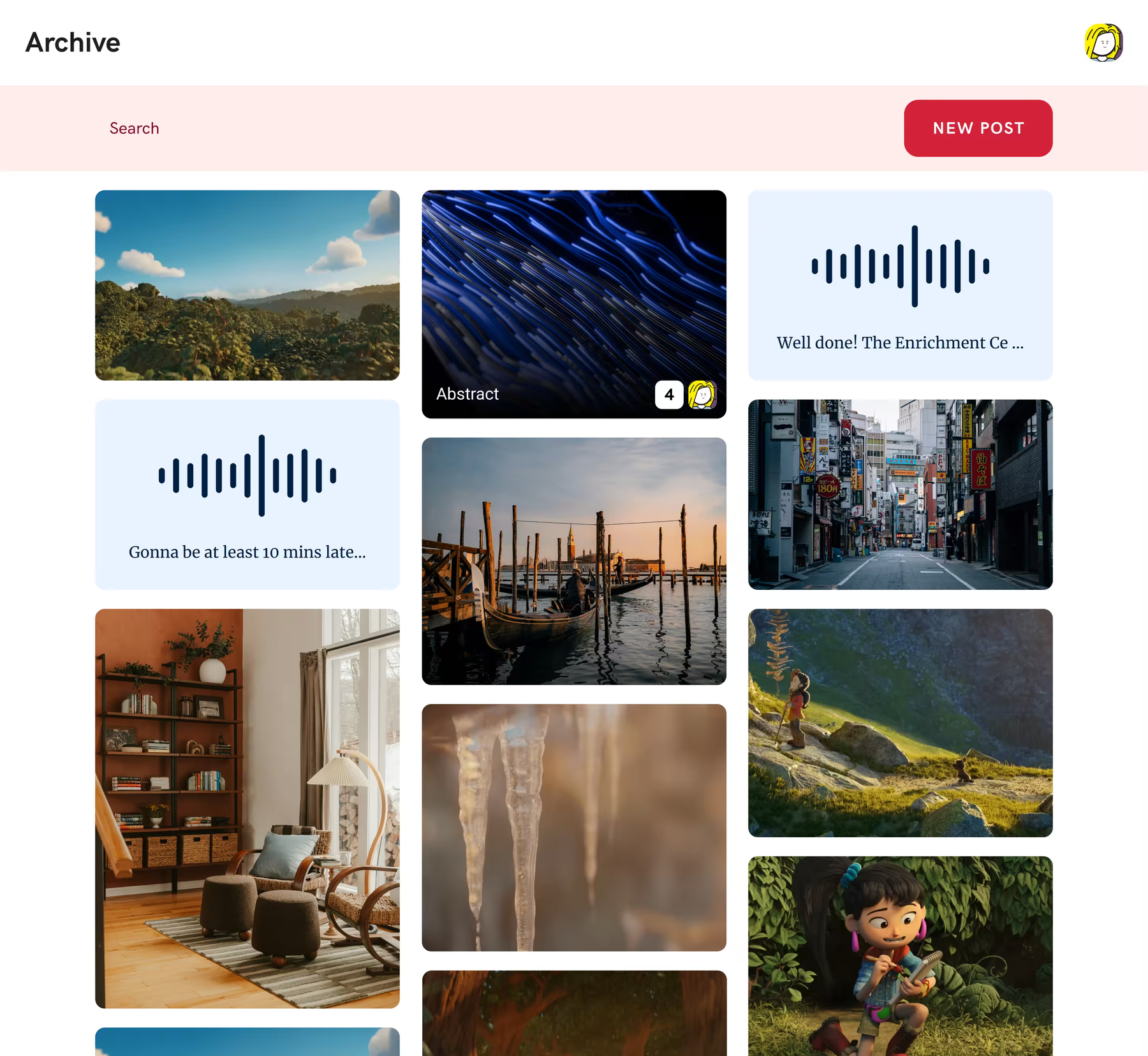
Archive is a self-hosted web app for storing and sharing photos, videos, GIFs, and audio. It includes media editing, captions, and support for multiple users.
Archive started as a way for my friends and I to have a centralized place to share photos and videos from memes or inside jokes we had. Before that, we would just have them in folders on our computers. Since 2019 our instance of Archive has been running, hosting over 900 media items and occasionally growing in functionality as we add features we want to use ourselves.
Though Archive is primarily for our use, it's been designed to be very content neutral and with its open source could nature, can be used by anyone for any type of small scale media sharing needs.


Upload & Organize
Media processing
You can upload photos, videos, GIFs, and audio. On upload, Archive generates thumbnails and generates compressed versions of the media.
Files can be organized with tags, descriptions, and captions, and there's full-text search across the library.
Built-in tools
Editing
There are built-in tools for cropping images, trimming videos, normalizing audio, and adding text overlays.
The original files are always kept, so edits can easily be undone or adjusted later without losing quality.


Accessibility
Captions
Archive has a built-in UI for adding timed captions and subtitles to videos. Captions are stored as structured data, so they can be rendered natively in the player or exported as WebVTT files.
The captioning editor is meant to be easy to use for everyone and supports keyboard shortcuts.
Full-text search
Searches across file names, descriptions, tags, and caption text.
Passkey authentication
Supports passkeys, timed one-time passwords (TOTP), and of course password based login.
Real-time updates
Processing progress, new uploads, and changes from other users show up in real time over WebSockets.
Multi-user collaboration
Multiple users can share an instance, with permissions for uploading, editing, and managing files.
Telegram integration
A Telegram bot can be connected to user accounts, allowing sending media directly in Telegram chats.
Self-hosted
Runs on your own server with four Docker containers. No external services required.